The Spare Screen Tax: Why Your Second Monitor Is Sandbagging Kaizo Runs
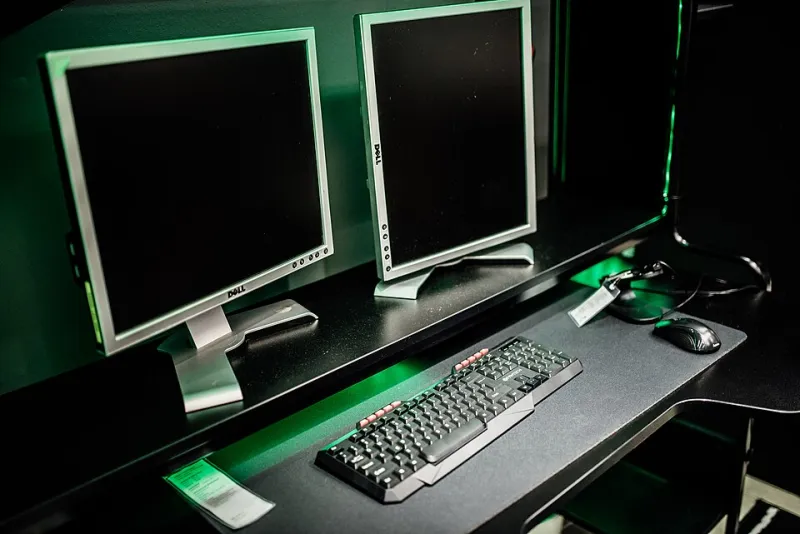
Photo: Shixart1985, CC BY 2.0, via Wikimedia Commons
Most kaizo desks grow a second monitor the same way a garage grows boxes: gradually, then all at once. First it is just splits. Then it is a browser with a route note. Then Discord. Then maybe a capture preview because you swear you are going to post the clear this time. The setup feels efficient. It also changes the machine you are playing on, and not in a cosmetic way.
The second screen is not a difficulty setting in the game menu. It is a difficulty setting in your room. And if you have never tested the rig with it unplugged, you do not know how much it is costing you.
The Overhead You Do Not See in Task Manager
A spare display is not a passive picture frame. Windows has to composite it, the GPU has to drive it, and whatever lives on it has to render. At idle, that often looks harmless. Your card is not pinned, your CPU is not pegged, and Task Manager shows plenty of green. But kaizo runs are not a Task Manager benchmark. They are a chain of precise inputs where a single late frame can turn a clean section into a death montage.
Driving a second panel can keep the GPU from dropping into its lowest power state, and it can affect memory clocks and scheduling behavior. That matters less on a big desktop card and more on the midrange and mobile hardware a lot of players actually use. A browser tab with hardware acceleration on is its own little renderer. Discord overlay is a hook. OBS preview is a capture pipeline wearing a friendly face. None of these are free, even when they look idle.
The sneaky part is that average FPS may barely move. You are not looking for a collapse. You are looking for consistency. If your 1% lows get worse and your frame-time graph gets spikier, the game will feel heavier without looking slower on a counter.
Jitter Is the Real Boss
Kaizo demands rhythm. Not just high frames, but even frames. A 240 Hz monitor with a clean 240 fps cadence feels predictable. The same monitor with a browser tab refreshing a split timer and an overlay polling Discord can feel like it is breathing. You press jump on the same visual cue and get a different result because the frame that should have shown the cue arrived late.
This is where the second-screen tax gets personal. A stray spike during a setup section is annoying. A stray spike during a three-frame gap is a death. Over a long practice session, those deaths teach you the wrong lesson. You start adjusting your timing to compensate for a problem that is not in the game.
Refresh-rate mismatches make it worse. A 60 Hz side panel next to a 144 Hz or 240 Hz main display can introduce compositor weirdness on some systems, especially with mixed scaling and HDR. You do not need to understand the full pipeline to notice the result: the main screen stops feeling like glass and starts feeling like a TV with motion smoothing turned on.
The Attention Tax Mid-Fight
There is also the cost that no frame-time tool will graph. Glancing at splits, route notes, or chat is a context switch. It is brief, but kaizo fights are built out of brief things. Your eyes leave the action, your working memory reloads, and your hands keep moving on the old plan for a beat. Sometimes that beat is fine. Sometimes it is the whole attempt.
Practice is where you can afford some of that. You want notes visible. You want splits. You want a friend in Discord telling you the setup for the next section. Record attempts are different. If the goal is a clean run, every glance is a small withdrawal from the attention account.
The useful question is not "is a second monitor bad?" It is "what is this screen doing during this specific session?" A notes panel during route learning is a tool. A Discord overlay during a no-hit attempt is a slot machine in your peripheral vision.
A Repeatable Test You Can Run This Weekend
You do not need a lab coat. You need twenty minutes and the same save state. Pick a kaizo section that is demanding but repeatable, and run it several times under each configuration. Use CapFrameX, PresentMon, or the frame-time logging built into your monitoring tool of choice. Capture at least three runs per setup and compare 1% lows, 99th-percentile frame times, and the shape of the graph, not just the average.
Start with the second monitor physically disconnected and the game in its normal windowed-fullscreen mode. That is your baseline. Then add the second display, idle, with nothing open. Then add a browser tab with a split timer. Then add Discord overlay. Then add OBS preview if you use it. Keep the game settings identical. Do not change your character, your route, or your cap. Write down the results because you will absolutely forget them by Tuesday.
If you want to be thorough, repeat the test with hardware acceleration disabled in the browser and with the overlay turned off. You are looking for the step where your 1% lows drop and your frame-time graph gets hairy. That is the cost. Now you can decide whether the convenience is worth it.
Configs That Make Sense
For practice, I like a second screen that earns its keep. Put your route notes there. Put your splits there. Keep Discord on it if you need comms, but turn the overlay off unless you are actively using it. Cap the side panel at a sane refresh rate and avoid leaving a dozen hardware-accelerated tabs open. If you are on a laptop or a smaller GPU, consider dropping the second display to 60 Hz and lowering its resolution. The point is not purity. The point is not paying for pixels you are not reading.
For record attempts, simplify. Disconnect the second display in Windows display settings, or at least disable it. Close the browser. Close the overlay. Close the capture preview until you are actually recording. Put your notes on your phone or a piece of paper. If you need splits, use an in-game timer or a lightweight overlay that you have tested and trust. The goal is to remove variables, not to build a cockpit.
This is not about being tough. It is about being honest. A clean kaizo run is already hard enough without your own desk fighting you for frames and attention. Figure out what the spare screen is costing, then decide when you actually want to pay it.